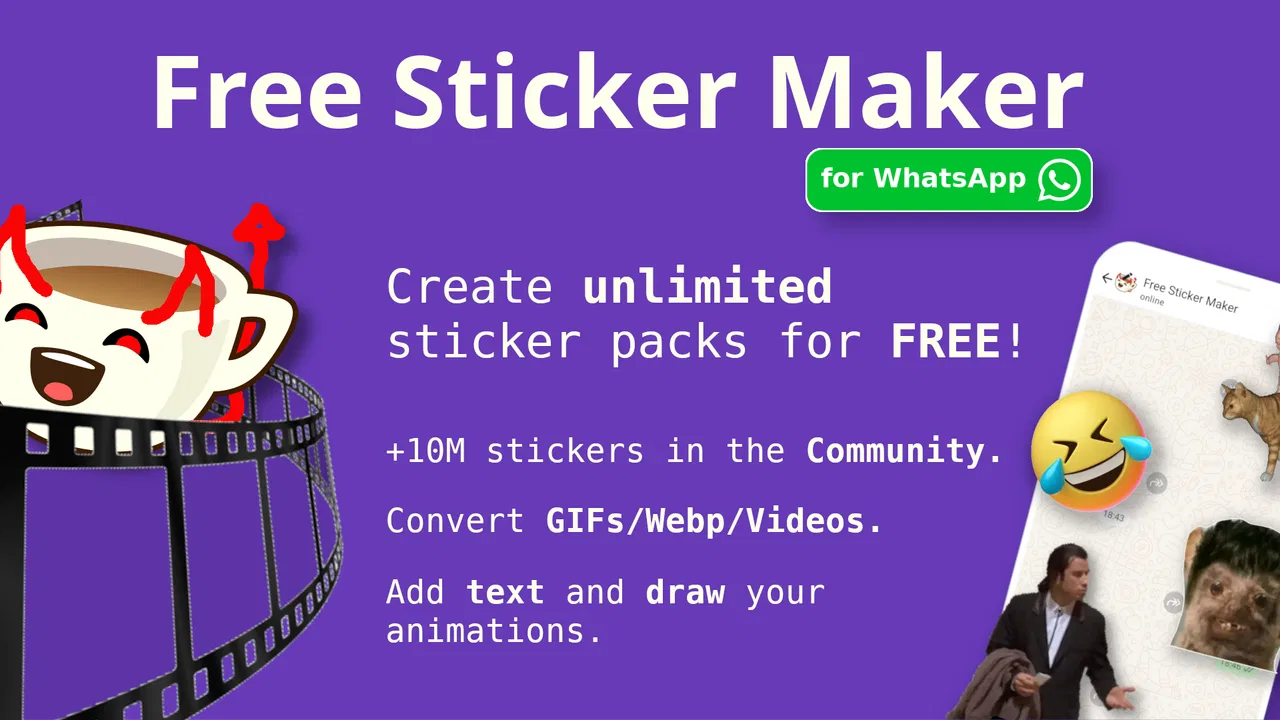
Animated Sticker Maker (FSM)
- 4.6
- Rating
- 10.00M
- Installs
- Free
- Price

 Analysis by App-foxy
Making a sticker for WhatsApp sounds simple until you try to turn an ordinary photo into something that looks good in a chat. Animated Sticker Maker (FSM) is aimed at that exact moment: you want a personal reaction, an inside joke, or a small visual message instead of another standard emoji. I found it approachable for casual editing, especially when the goal is to create a sticker quickly rather than produce polished artwork.
This is a free Art & Design app from Memento Apps, Inc, with optional in-app purchases ranging from $0.99 to $2.99 per item. Its audience is rated Teen, and the app has reached over 10 million installs with an average score of 4.6 from around 207 thousand ratings. Those figures suggest that it has become a familiar choice for people who want to build WhatsApp sticker packs without learning a full graphics editor.
What to expect before making your first sticker
The main idea is straightforward: choose visual material, turn it into a static or animated sticker, and prepare it for use in WhatsApp. The useful distinction is that you are not limited to still images. A short moving reaction can feel much more personal than a cropped photograph, while a static sticker is usually faster to prepare and easier to make look clean.
You May Also Like

 AccuWeather: Weather Radar
AccuWeather Review: A Quick, Clear Forecast for Everyday Decisions
For everyday plans, the best forecast is the one you can understand quickly. AccuWeather makes rain timing, radar, and local conditions easy to act on, with a few trade-offs.

 Hill Climb Racing
Why Hill Climb Racing Still Turns Crashes Into One More Run
A tiny car, a bumpy hill and one more upgrade: Hill Climb Racing keeps resurfacing because its simple chaos makes every near-miss feel personal.

 AliExpress - Shopping App
AliExpress Makes Global Shopping Feel Personal, but Shoppers Bear the Risk
AliExpress turns a global marketplace into a pocket-sized discovery engine. Its reach is useful, its shopping loop compelling, and its trade-offs easy to miss.

 Lords Mobile: Kingdom Wars
Lords Mobile Is a Kingdom-Building Routine, Not a Quick Match
A case-by-case verdict on the building, battles, device demands, and social commitments that make Lords Mobile rewarding for some players and exhausting for others.

 PDF Scanner app - TapScanner
TapScanner Makes Paperwork Easier to Capture, Check, and Share
TapScanner makes scanning with a phone feel less like a rescue operation and more like a dependable step in getting work done. Its capture tools are useful, though not flawless.

 Block Blast!
 Shows How Much a Puzzle Game Can Leave Out
A quiet grid game shows why puzzle players increasingly value instant clarity, repeatable skill and low-pressure play—and where the genre still needs to catch up.
More From Our News Desk
View All News


I would not approach it as a replacement for a professional illustration tool. The appeal is speed and accessibility. You can work from the kind of images people already keep on a phone, then shape them into something suitable for a conversation. That makes it a good fit for family chats, friend groups, fan communities, and anyone who wants reactions that match their own humor.
The first thing to understand is that a sticker is not simply a photo placed inside WhatsApp. A successful result needs a clear subject, a readable outline, and enough contrast to survive a small display. A busy image may look fine in your gallery but become confusing once reduced to sticker size. I got better results by starting with a close subject and a simple background rather than trying to rescue a complicated scene.
The best first project is deliberately small: make one recognizable reaction before attempting a complete themed pack. This gives you a chance to understand the editing flow, check how the image looks at chat size, and decide whether the animated route is worth the extra effort.
Choosing material that survives sticker size
For a first attempt, use a photo with one obvious person, pet, object, or facial expression. Strong lighting helps, but a plain background matters even more. If the subject blends into the surroundings, cutting it out becomes less satisfying and the finished sticker may need extra decoration to remain readable.
Animated material needs a little more judgment. Movement can make a sticker expressive, but too much motion can distract from the message. A short, visually clear moment is usually more useful than a long clip with several changes. Think of the sticker as a reaction you can understand immediately, not as a miniature video that demands attention.
One practical workflow is to create a small set around a single mood: greeting, surprise, agreement, frustration, or celebration. Keeping the subject and visual style consistent makes the pack feel intentional. It also prevents the common beginner mistake of filling a pack with unrelated images that are individually amusing but awkward to browse later.
Setting up the first project without getting lost
After installing the app, I recommend resisting the temptation to import a large collection immediately. Start with one image and learn where the creation controls, preview, and saving or export steps appear. The exact order matters less than keeping the first session focused. When an app offers both static and animated creation, beginners can easily jump between options before finishing anything.
Use the simplest available route first. A static sticker lets you concentrate on framing, readability, and the relationship between the subject and the background. Once that result works in a chat, return to the same idea and experiment with motion. This staged approach is more reassuring than beginning with animation and wondering whether a problem comes from the source material, the timing, or the final export.
When preparing an image, inspect the edges closely. Hair, fingers, thin objects, and transparent details are the areas most likely to look untidy after separation from the background. I found that a slightly simpler outline often looks more professional than an ambitious cutout with rough fragments around the subject. At small sizes, viewers notice the overall silhouette before they notice fine detail.
Text can help a sticker communicate, but it should support the image rather than cover it. Keep words short enough to read at a glance, and place them where they will not disappear against a similar-colored background. A reaction such as “really?” or “on my way” has a clear purpose; a long sentence turns the sticker into a cramped poster.
Your first meaningful success: one clean reaction
For a realistic everyday test, imagine receiving a message from a friend asking whether you are still coming to dinner. Instead of sending a plain “yes,” choose a photo or short animated moment that shows an enthusiastic thumbs-up, add only the visual treatment needed for clarity, and prepare it as a sticker. Then use it in the conversation and look at it the way the recipient will see it, surrounded by other messages and displayed at a compact size.
That final check is important. An image that looks impressive in the editor may feel too dark, too small, or too detailed once sent. If the subject is not immediately understandable, simplify it rather than adding more decoration. The point of a chat sticker is instant recognition.
For animation, watch the preview more than once. Check whether the movement begins and ends naturally, whether the important expression appears long enough to notice, and whether the loop feels distracting. A technically moving sticker is not automatically a good animated sticker. The strongest ones have one readable action and a clear emotional payoff.
Once the first creation is ready, follow the app’s route for preparing it for WhatsApp and confirm that it appears where you expect. If it does not look right in the messaging app, return to the source rather than repeatedly exporting the same version. Cropping, contrast, and timing are usually more useful adjustments than piling on effects.
Common points of confusion for new users
The phrase “sticker maker” can make people expect a complete drawing studio. That is not how I would frame this app. It is better understood as a focused tool for converting personal visual material into chat-ready stickers. If your goal is detailed illustration, layered design, or precise typography, a dedicated drawing or photo-editing app may be more comfortable first.
Another source of confusion is the difference between creating a sticker and organizing a useful collection. Making one image is quick; building a pack that you will actually use requires consistency. Before adding every funny photo on your phone, decide what the pack is for. A small set of expressive reactions is easier to find than a huge archive with no clear theme.
Animated stickers can also demand more patience than static ones. Motion introduces more opportunities for an awkward crop, unclear timing, or a result that looks less polished than the original clip. If you only need quick replies, static stickers are the sensible default. Choose animation when movement itself carries the joke or emotion.
There is also a difference between personal usefulness and visual perfection. A slightly rough sticker may be exactly right for a private group where the humor comes from the original photo. For a public-facing creator identity or a carefully branded community, however, I would use a more controlled design workflow and treat this app as a quick production option rather than the entire process.
How it compares with the usual alternatives
Compared with using WhatsApp’s built-in emoji and sticker choices, this app gives you a much more personal result. You can base a reaction on your own expressions, pets, friends, or recurring jokes instead of selecting from a fixed library. The trade-off is that you must spend time choosing, editing, and organizing the material.
Compared with a general photo editor, Animated Sticker Maker is more focused on the final chat use. A broad editor may offer finer control over layers, masks, color correction, and typography, but it can also make a simple sticker feel like a design project. I prefer this app when I already know the image I want and need a practical route toward a WhatsApp-ready result.
Compared with downloading ready-made sticker packs, the advantage is originality. You are not likely to find your exact family joke or your dog’s particular expression in a public collection. The disadvantage is that quality depends on your source material and editing choices. Ready-made packs are faster when you simply want variety; this app is better when the personal connection matters.
Building a better collection after the first success
Once the first sticker works, create a small system for future additions. I suggest separating ideas by how you use them in conversation rather than by where the images came from. A “quick replies” group, a “celebration” group, and a “dramatic reactions” group are easier to navigate than folders named after camera albums.
Keep the visual language consistent within each group. Similar outlines, comparable text placement, or a repeated background treatment can make even casual photos feel connected. This is one of the easiest ways to improve the result without spending extra time on every individual image.
Use animation selectively. A moving sticker is most valuable when the motion adds meaning: a wave, a nod, a laugh, a dramatic turn, or another action that cannot be expressed as clearly in a still image. If the source already communicates the emotion in one frame, a static version may be cleaner and quicker.
Be mindful of context when using images of other people. A private joke between friends may be welcome in one chat and uncomfortable in another. I would avoid turning an embarrassing moment into a widely shared sticker without permission. The app makes personal creation easy, but good judgment still belongs to the person using it.
The optional purchases are worth considering only after you know how often you will use the app and which parts of your workflow matter to you. Since the app is free to start, I would first complete a real sticker project and test it in an actual conversation. That gives you a better basis for deciding whether any paid item improves your process instead of buying something because it appears during setup.
Who will enjoy it, and who should choose something else
I recommend it to WhatsApp users who want personal reactions without learning a complex creative suite. It is especially suitable for someone who has a folder of expressive photos, wants to turn short moments into animated replies, or enjoys making themed collections for a close group of friends.
It is also a sensible starting point for a first-time creator because the goal is concrete. You are not expected to master a large canvas or understand professional design terminology before seeing a result. The path from image to conversation is easy to understand once you complete one small project.
I would steer professional designers, illustrators, and people creating formal branded assets toward a more advanced editor. They may need exact control over typography, color, layers, and export behavior that a focused sticker tool is not designed to replace. I would also suggest skipping it if you rarely use WhatsApp or have no interest in creating personal visual replies; the app’s value is closely tied to that specific messaging habit.
Privacy and ownership should shape your choices, too. Use material you are comfortable sharing in a chat, and remember that a sticker can travel farther than the original conversation. The most enjoyable collections usually come from images that are funny, clear, and safe for the people who will receive them.
My recommendation after using it
Animated Sticker Maker (FSM) succeeds because it keeps the creative target narrow: turn your own visual ideas into WhatsApp stickers, including moving ones. I like it most when I want a personal reaction quickly and do not need the depth of a full image editor. The free entry point makes experimentation easy, while the optional purchases leave room for users who decide the workflow is worth expanding.
My advice is to begin with one clean static reaction, test it in a real chat, and only then explore animation and larger collections. That order reduces confusion and teaches you what actually matters: readable subjects, simple compositions, and movement that serves a purpose. If those are the qualities you want, this Art & Design app is a practical companion for making WhatsApp conversations feel more like your own.
With its Teen content rating and broad user base, it is easy to see why it appeals beyond serious creators. It is not trying to turn every user into a professional designer. Instead, it gives ordinary phone photos and short moments a second life as expressive chat material. For first-time users, the real strength is the short path from a familiar image to a sticker you can genuinely use.
FAQs for Animated Sticker Maker (FSM)
01What is Animated Sticker Maker (FSM)?
Animated Sticker Maker (FSM) is a creative application that allows users to design and customize their own animated stickers for messaging apps. It provides various tools and templates to help users easily bring their ideas to life, making conversations more engaging and personalized.
02Is Animated Sticker Maker (FSM) free to use?
While Animated Sticker Maker (FSM) offers a free version with basic features, it also provides in-app purchases for more advanced tools and templates. Users can choose to upgrade to a premium version for an enhanced experience, which includes additional customization options and an ad-free environment.
03How user-friendly is Animated Sticker Maker (FSM) for beginners?
Animated Sticker Maker (FSM) is designed with a user-friendly interface, making it accessible even for beginners. It offers step-by-step tutorials and intuitive tools, allowing users to create stickers without any prior design experience. The app simplifies the process with drag-and-drop functionality and easy-to-follow guides.
04Can I share my animated stickers on different platforms?
Yes, Animated Sticker Maker (FSM) allows you to export and share your created stickers across various messaging platforms, including WhatsApp, Telegram, and Messenger. The app provides straightforward options to ensure your stickers are compatible and easily integrated into your favorite chat apps.
05What are the customization options available in Animated Sticker Maker (FSM)?
Animated Sticker Maker (FSM) offers a wide range of customization options, including the ability to import images, add text, apply animations, and choose from numerous templates. Users can personalize stickers by adjusting colors, sizes, and effects to perfectly match their desired aesthetic and message.
Pros
- Easy-to-use interface for quick sticker creation.
- Wide range of customization options available.
- Supports multiple formats for export.
- Frequent updates with new features.
- Integration with popular messaging apps.
Cons
- Limited free content; in-app purchases needed.
- Occasional crashes on older devices.
- Ads can be intrusive at times.
- No offline mode for sticker creation.
- Some features locked behind a paywall.

Animated Sticker Maker (FSM)
Gallery